

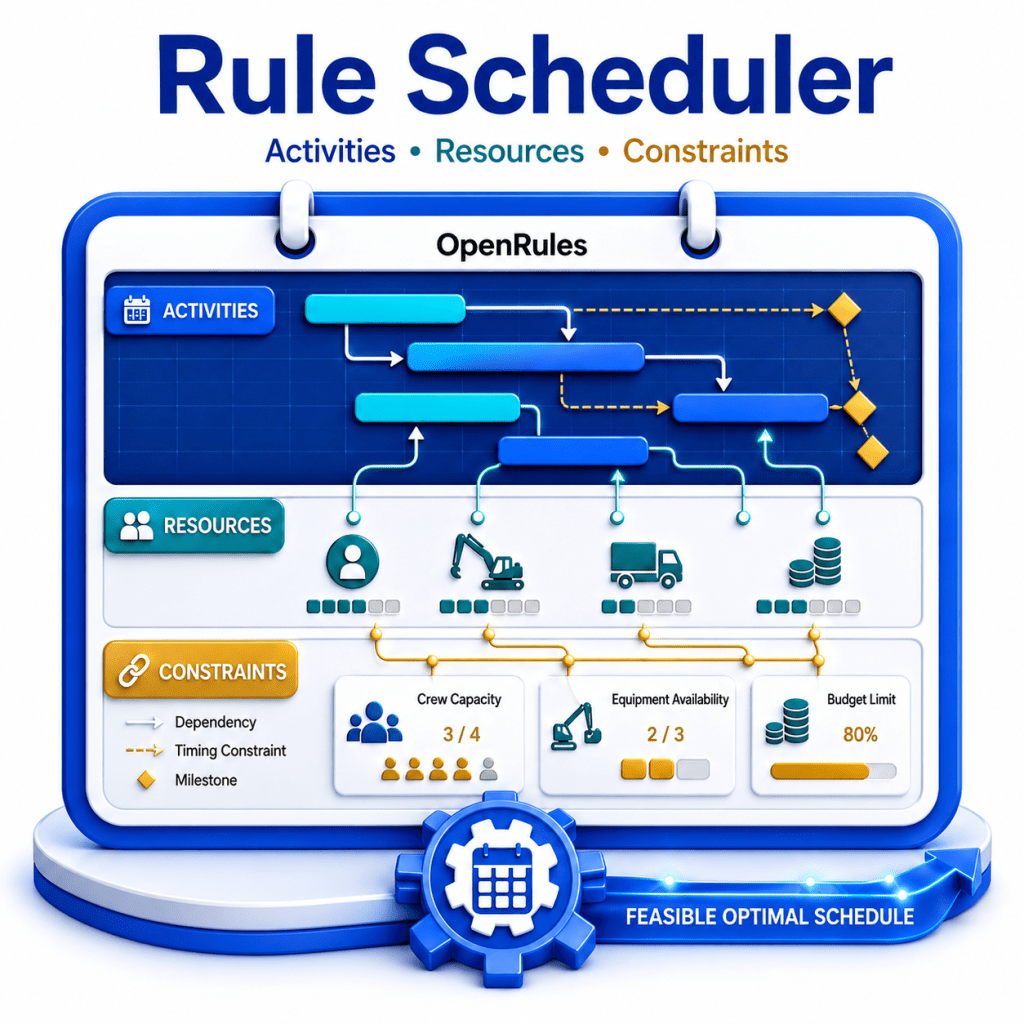
Rule Scheduler is a component of RuleSolver specifically designed for modeling and solving scheduling and resource allocation problems. These problems are traditionally considered highly complex and are beyond the capabilities of most rule engines, typically requiring specialized constraint programming tools and technical expertise.
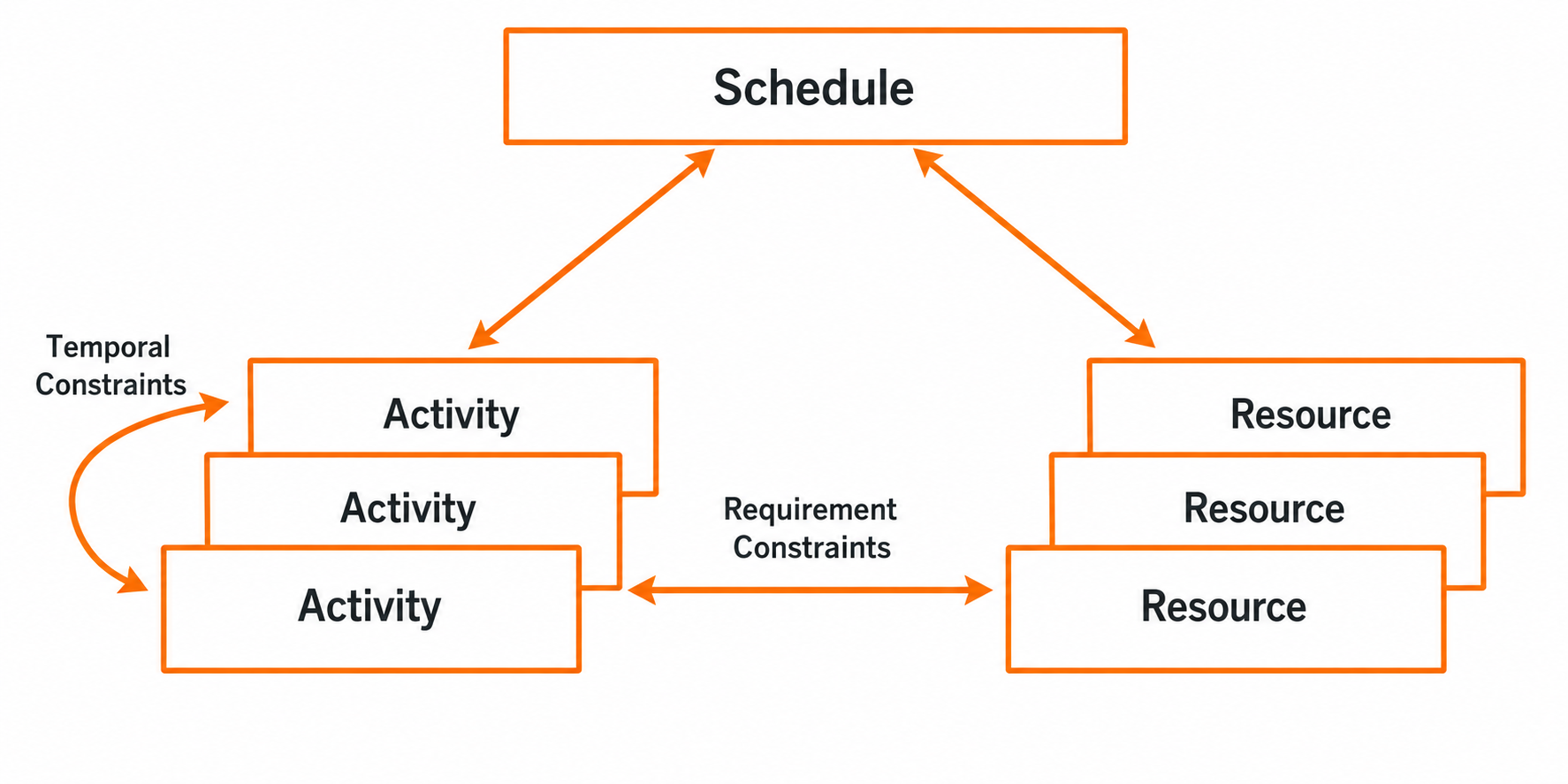
Rule Scheduler offers a business interface to represent and solve these problems without programming. It utilizes the “JSR331 Scheduler“, a very intuitive Java API for scheduling and resource allocation problems. But users do not need to know or use Java at all. Rule Scheduler makes its main concepts, such as Activity, Resource, Temporal, and Requirement constraints, available to business users without a programming background:
More importantly, Rule Scheduler makes them naturally incorporated in the context of the modern Decision Intelligence Platform.
Rule Scheduler allows business users to define and solve a scheduling and resource allocation problem in terms of Activities and Resources – see the above schema. The major business concepts are:
- Schedule is defined in time and has an origin (start) and horizon (end). The Schedule usually consists of activities, resources, and different relationships between them.
- Activities are specified by their starts (usually unknown) and durations. There can be precedence relationships between activities such as “Activity A starts after the end of Activity B”. These relationships are usually called “temporal constraints”.
- Resources usually have limited capacities that may vary over time. For example, people may be available only at certain hours during the day or there could be limited amounts of money in a bank account during different periods. Resources may have different types: RECOVERABLE (like workers) or CONSUMABLE (like money or gasoline). Activities may require or produce different resources, and the proper constraints are usually called “Resource Requirement Constraints”.
Rule Scheduler offers special conditions and actions inside regular single-hit and multi-hit decision tables that allow a business user to do the following:
- Define Schedule, Activities, and Resources
- Post Temporal Constraints between activities, e.g. “Carpentry starts after Masonry”
- Post Requirement Constraints between activities and resources, e.g. “Each Activity requires a Worker”
- Find feasible or optimal solutions using predefined methods.
A decision modeler usually expects a user to create two main tables, “Define” and “Solve”. Here are the examples:
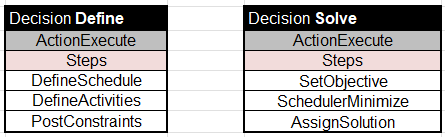
Table “Define” requires the major decision modeling efforts to define all the problem’s unknowns and their relationships. Table “Solve” defines the optimization objective and relies on predefined methods such as “SchedulerMinimize” to solve the problem.
EXAMPLE
The best way to learn how to build scheduling decision models is to follow multiple examples included in RuleScheduler.

Simple Scheduling Problem. Here is a simple scheduling decision model that is supposed to help us to construct a house. The construction requires the following activities with fixed durations and precedence constraints. Arrows represent temporal constraints like “Carpentry starts after the end of Masonry”. The numbers near each activity represent its durations (in days).
This is a pure scheduling problem without resources. To model it in RuleScheduler, we may create one Excel file “ScheduleActivities.xls” with different tables in the predefined formats. As with any OpenRules-based decision model, we start with the creation of the Glossary:
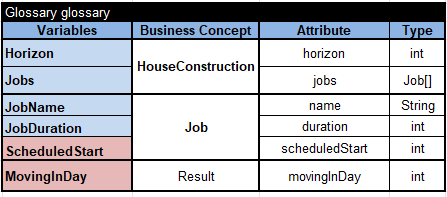
Here we use two business concepts:
- Job that represents two input variables (name and duration) and one output variable (scheduled start).
- HouseConstruction that contains the schedule horizon (max number of days for the entire construction) and all Jobs needed to be executed.
Let’s also specify all jobs in the table of the type “DecisionData”:
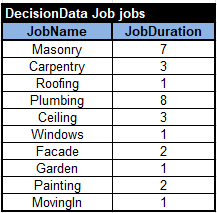
And here is our test case:
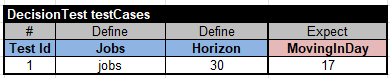
The table “Define” contains 3 steps:

The first step defines the schedule using the following table with the predefined column “SchedulerDefine“:
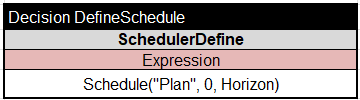
The second step defines all activities in the decision table that iterates over all Jobs:
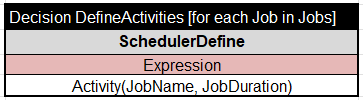
This table also uses the predefined column “SchedulerDefine” but with an expression that creates an activity with the name JobName and the duration JobDuration.
The third step posts all temporal constraints using the following multi-hit table with the predefined column “SchedulerPost“:
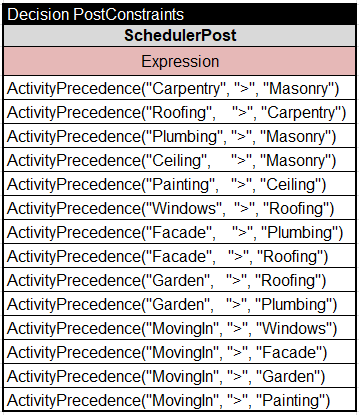
Each expression ActivityPrecedence("Activity1", ">", "Activity2") posts the proper constraint such as Carpentry > Masonry.
Here is the table “Solve”:
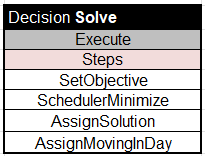
Our optimization objective is “Move in ASAP”. It means we may set the objective using the predefined column “SchedulerSetObjective”:

Then the table “Solve” will invoke the standard method “ScheduleMinimize”. When we run the decision model, we will receive an optimal solution:
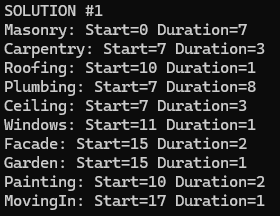
We used the table “AssignSolution” to save the scheduling results (start times for all jobs) inside the variable “Scheduled Start”:
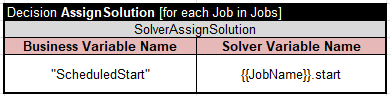
To save the resulting “MovingInDay,” we can use the following table:

We may visualize the scheduling results using the following diagram:

More Samples. Here is a list of scheduling decision models included in the RuleSolver installation – see the folder “openrules.solver\SCHEDULER\”:
- Oven
- ScheduleActivities
- ScheduleActivitiesWithWorkers
- ScheduleActivitiesWithBudget
- ScheduleActivitiesWithWorkersAndBudget
- ScheduleAlternativeResources
- ScheduleAlternativeResourcesMinCost
Note. Rule Scheduler utilizes the “JSR331 Scheduler” which revived major ideas from “ILOG Scheduler,” an ILOG product built and actively used in the 1990s, but later abandoned.


