

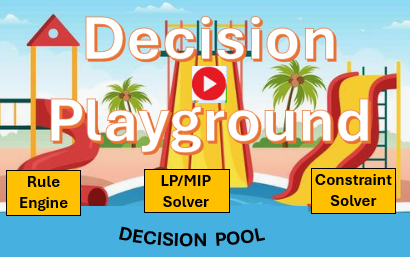
Decision Playground is an Interactive Visual Tool for Real-Time Decision Optimization. It Enables Business Users to Explore, Compare, and Refine Decisions Recommended by the Existing Decision Models.
Decision Playground is a component of the OpenRules graphical IDE designed to help business users:
- Produce and compare multiple possible decisions: It provides interactive, visual scenario testing, enabling users to instantly see how additional constraints and parameter changes influence decision results.
- Find optimal and close to optimal decisions: Users can select an optimization objective to minimize or maximize, then view the optimal decision produced by the underlying decision model, including any additional constraints applied. If users are not satisfied with the optimal decision, they can request alternative solutions that may be less optimal but better suited to their constraints.
- Create and maintain Decision Pools for various operational scenarios: Users can save different decision outcomes for further analysis and comparison.
You may add last‑minute constraints right when a decision needs to be made—especially when there’s no time or expertise available to update the decision model itself.
Decision Playground is particularly helpful for:
- Finding appropriate decisions under uncertainty and when a user allows a certain degree of tolerance in the recommended decisions.
- Supporting “What-iffing” by allowing users to change the input request and add additional filters. They may consider best- and worst-case scenarios to evaluate potential impacts of different choices.
Why is this important? When it’s time to actually make a decision, the user, who is usually a business specialist, has a much clearer understanding of the real‑time constraints and limitations than even the most advanced decision model can capture. So, the user needs a way to share these real‑time constraints with the model and quickly explore multiple alternatives.
How does it work? The scheme below shows a business analyst who is working with the graphical interface supported by Decision Playground:
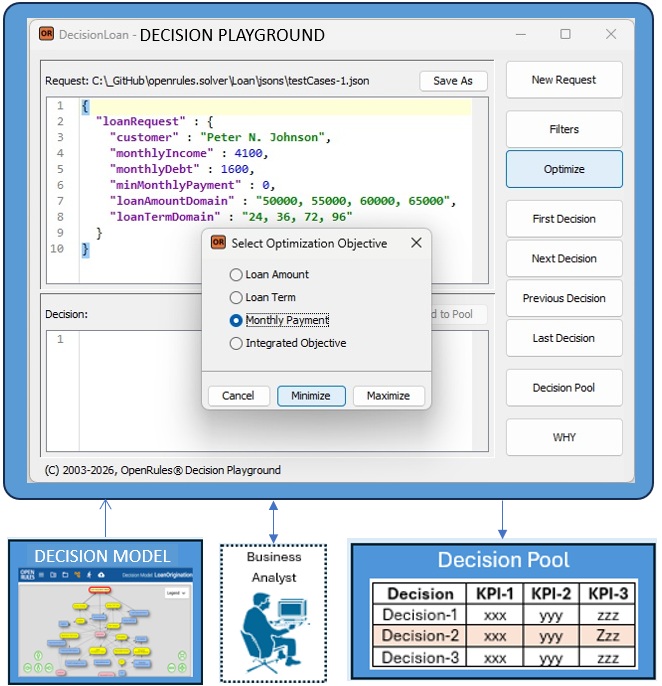
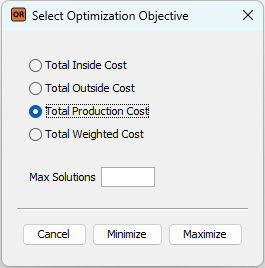
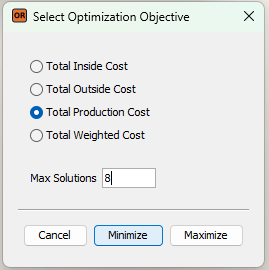
The user brings the new request in the JSON format, make changes in it if necessary, and selects the button “Optimize” on the right of the Decision Playground interface. Then the user may choose an optimization objective which should be Minimized or Maximized. For instance, here is the Optimize dialog for the “InsideOutsideProduction” project:
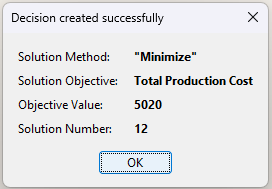
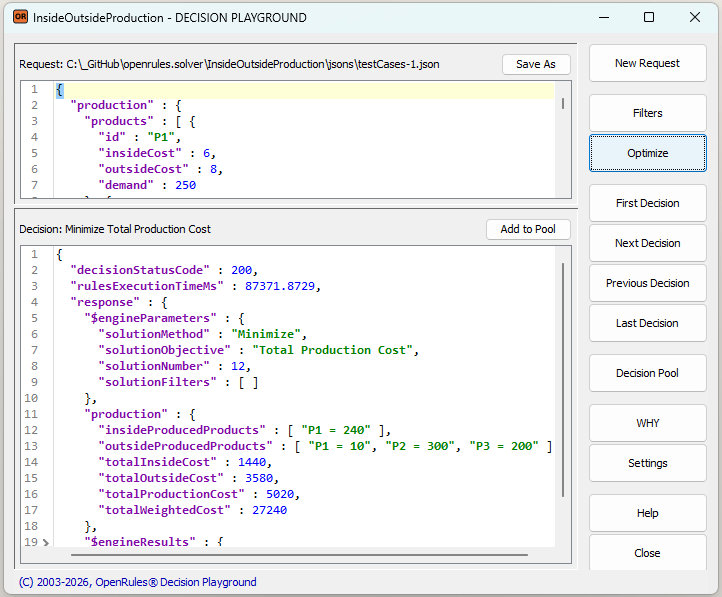
Decision Playground will run the decision model to produce the proper optimal decision. It will inform you when the optimal decision is found and will show the Solution Number:
You may analyze the found optimal decision in the bottom part of the Playground screen:
If you are not satisfied with the optimal decision, they can request alternative solutions by limiting “Max Solutions” as follows:
In this case, Decision Playground will show you the solution #8 by stopping short on the way to the optimal solution #12:
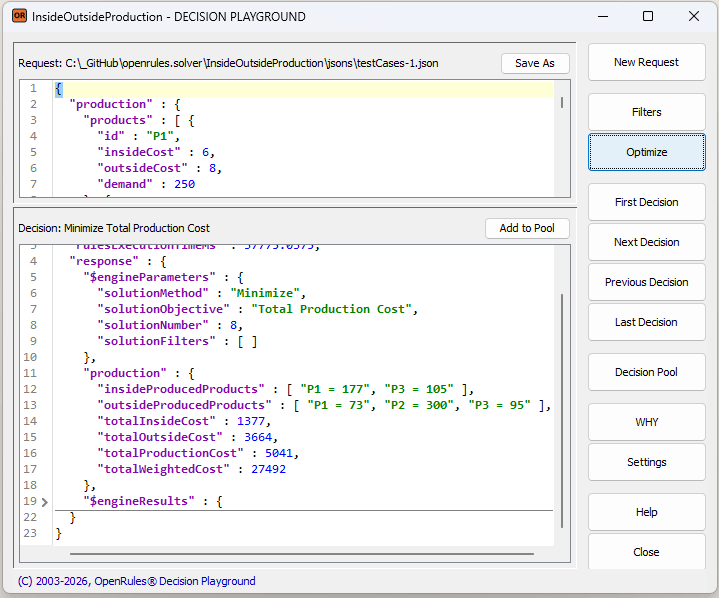
This alternative solution may be less optimal but more practical given your current business conditions and constraints. For example, in this case the Total Production Cost of $5,041 is slightly higher than the optimal cost of $5,020 but more products will be produced internally.
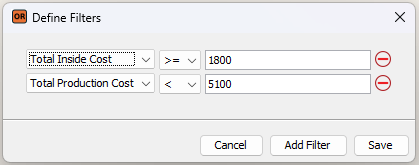
Another way to finding alternative decisions that trade optimality for better alignment with your current business conditions is the use of filters. The button “Filters” allows you quickly add additional constraints to tune the decision model to the reality of a particular decisioning situation. Here is an example:
While experimenting with various possible decisions, the user may save the Decision Candidates into the Decision Pool, adding explanations to each of them:

Inside the Pool, a user can visually compare different Decision-Candidates, sort them by different KPIs, and choose the Decision-Champion that best fits the current situation. This decision can then be exported for further use and future Decision Tracing.
When the number of possible decisions is relatively small, users can also browse all available options using the buttons “First Decision”, “Next Decision”, “Previous Decision”, and “Last Decision” to choose the “best” one without invoking any optimization.
Decision Playground is included in the RuleSolver installation. It can be launched from any RuleSolver project by using the launch file “play.bat“:
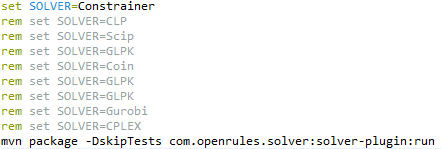
Decision Playground can be used with different underlying open-source or commercial Constraint Solvers or Linear/MIP Solvers. It is easy to switch between them without any changes in the decision model by setting the variable SOLVER in the launch file “play.bat”. Two open-source solvers are included:
- Constraint solver “Constrainer“
- Linear Solver “CLP“.
You may install more constraint or linear/MIP solvers and use them by changing the above variable SOLVER. Linear solvers are usually much faster to compare with constraint solvers, but some decision models may include non-linear constraints, and you cannot use linear/MIP solvers.
Whether your decision model relies on a rule engine, constraint solver, or MILP solver, you may use Decision Playground to experiment with various decisions to choose the one that you consider is the best fit for your current business situation.
Get started with Decision Playground using these sample projects included in the standard RuleSolver installation:
- InsideOutsideProduction
- Loan
- Features
- Burger
- Arithmetic
Once comfortable with the examples, apply Decision Playground to solve your own business problems.

 Decision Intelligence Platform