

Problem samples usually represent historical data with a large number of input parameters and expected output. It frequently occurs when the input CSV file has been generated by a legacy system or extracted from an enterprise data repository. Not all data instances in such files correctly represent the business problem for which we want to generate a decision model.
When subject matter experts look at such instances, they quickly notice possible inconsistencies that may mislead Rule Learner. For example, some instances are outliers that should be removed from the samples. Subject matter experts may decide to change some instances and/or to add new ones that better represent the problem. They also may prefer not to mix all samples together but rather split them into different categories by selecting only those instances that satisfy certain criteria.
Rule Learner allows a user to define special Filtering Rules that may filter the provided samples to exclude outliers and/or generate different decision models concentrating only on selected issues within large sets of samples with historical data. These rules will be applied to all Source Instances and add those instances that satisfy the provided criteria to Filtered Instances. The examples of using the Filtering Rules is described here. Its file “Credits.csv” contains 1,000 of sample instances that classify personal credits as “good” or “bad” based on different combinations of person’s attributes. The filtering rules are provided in the file “CreditsFilter.xls” of the folder “learning.source”:
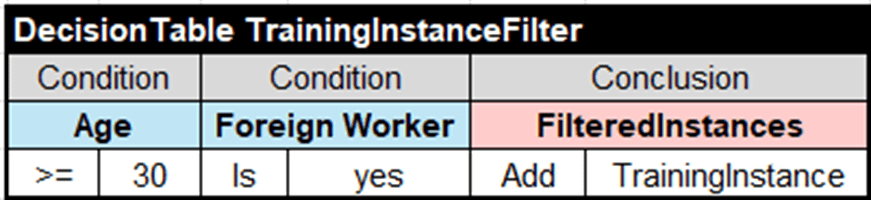
They select only samples for foreign workers of 30 years or older.
Similarly, you may define different sample selection criteria and generate different decision models. This mechanism allows domain experts to incorporate their knowledge into Rule Learner by providing them with the greater control over the generated decision models to ensure accuracy and relevance of business rules.

 Decision Intelligence Platform