
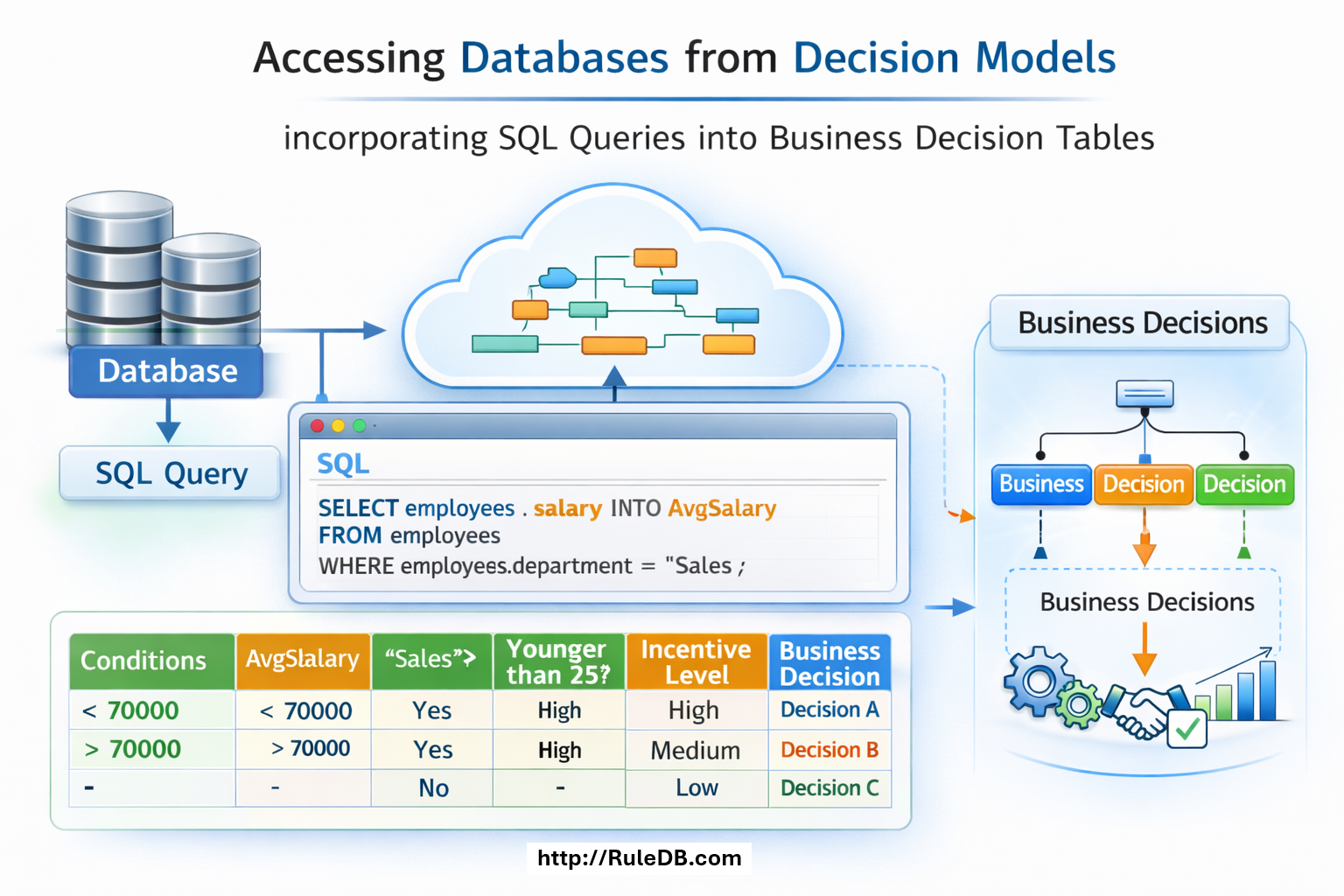
Rule DB™ is a component of OpenRules Decision Intelligence platform which supports connectivity with relational databases. With ongoing digital transformation organizations need to make sure that good quality data is available to subject matter experts and not only to a small IT team with a few SQL gurus. It requires business analysts (not programmers!) to be in charge of constantly changing data allowing them to validate data quality using simple business rules instead of complex SQL queries.
Traditionally, business rule engines do not communicate with relational databases directly. Instead, they expect to receive input and produce output via intermediate objects defined in Java, JSON, or XML, assuming that database access is handled through separately defined SQL statements. However, some customers want to apply user-friendly business rules to query databases directly — while preserving the full power of SQL for handling databases of any complexity. Here is how Rule DB delivers this capability:
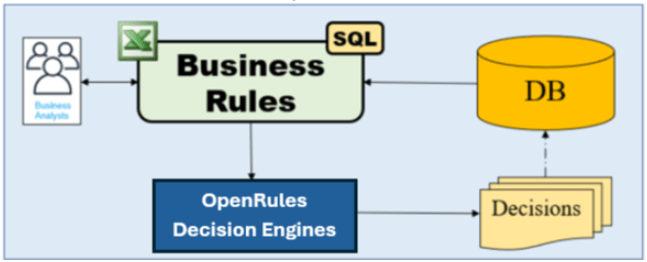
OpenRules “Rule DB” allows its decision models to access relational databases directly from business rules. Let’s consider an example of how it works by migrating an SQL query to OpenRules. Consider this SQL query defined on the classic MySQL Sample Database:

We will migrate the record selection part of this query to a special Excel-based table of the type “DataSQL“:

We moved only the technical part of the query that usually resides in FROM and JOIN statements. However, the WHERE part of the query also contained the technical (not business) information such as

that we added to the WHERE-column of our table “SelectedOrders”.
The business part of the query

does not depend on the way we select the records and can be migrated to the regular decision table “DefineTotals” which iterates over SelectedOrders:

To glue everything together, as usual with OpenRules we need to specify the Glossary:

Note that here the business concept “SelectedOrders” is the same as defined above in the DataSQL table and its attributes use exactly the same names as defined in the query’s SELECT statement (with aliases ‘c’, ‘o’, and ‘p’).
Our decision model capable to talk to the Sample Database “classicmodels” is completed. To access the database we only need to add the following properties to the file “project.properties”:

Alternatively, you may define these properties in the table “Environment”.
Before running this model you need to set up your database as described here. Now when we click on the standard batch file “test.bat” it will build and then execute our decision model. It will select 1277 orders from the “classicmodels”, will iterate through them by selecting only 6 with Payment Amount > 80,000 and Order Status = “In Process”, and will accumulate the Total Amount in these 6 orders. Here are the results:

Now you can easily implement other business logic by simple changing the decision tables without changes in DataSQL.
This example shows that RuleDB without sacrificing power of SQL allows you to naturally integrate business rules with a relational database. Look at the various examples available from the right bar.
Services. OpenRules, Inc. provides Technical Support to help you to migrate from a pure SQL solution to a rules-based architecture. Contact us at support@openrules.com.
 Decision Intelligence Platform