

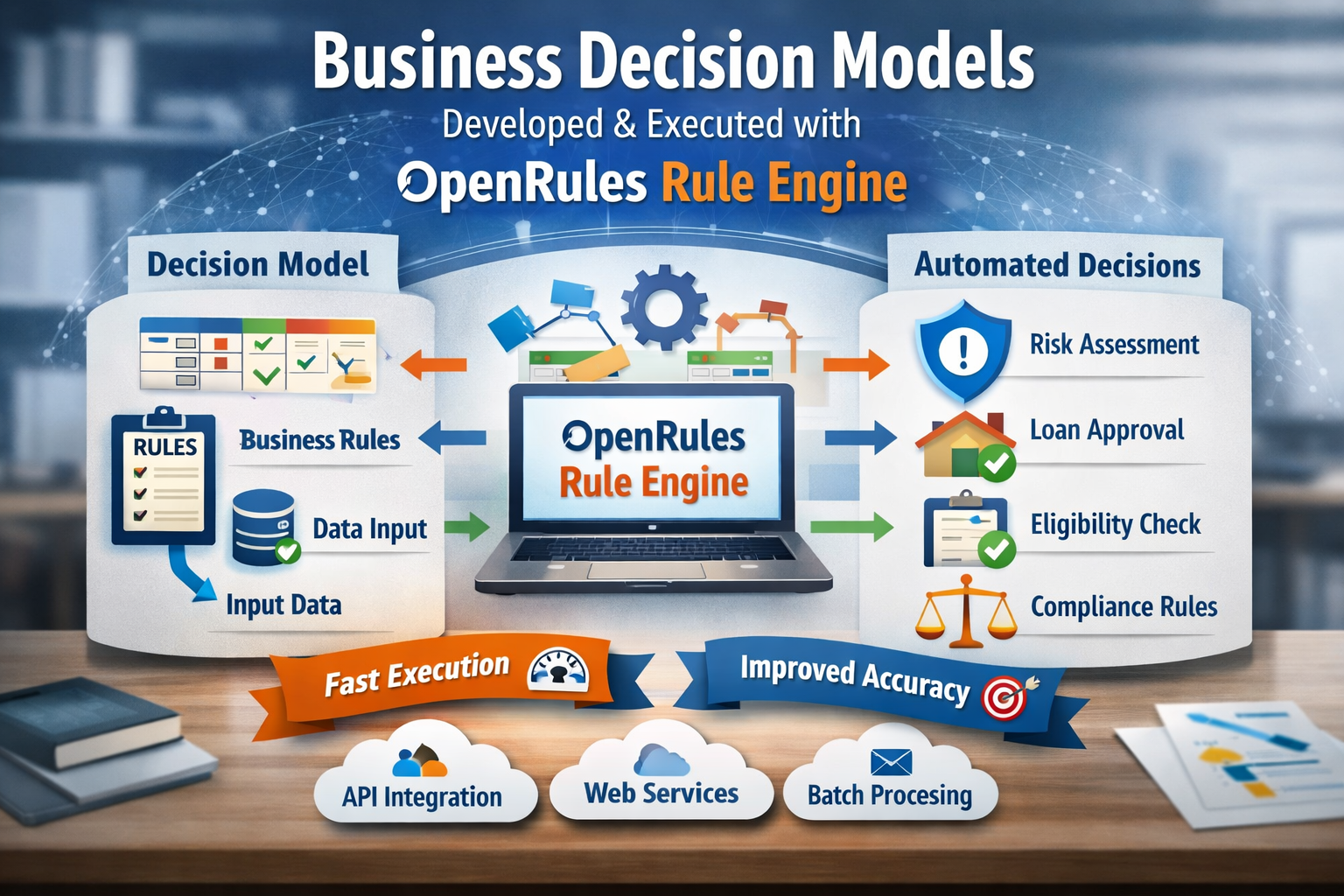
A decision model is a concept for representation of decision logic of a particular business problem that can be understood by subject matter experts and executed by a computer. Decision model is usually presented as a decision project (a regular folder with sub-folders and files) which contains:
- Business Glossary with input and output decision variable distributed between different business concepts
- Test Cases with examples of input values and expected output values
- Business Rules that specify how to find output variables based on different input
- Text Files
- project.properties for configuration properties like model.file and test.file
- test.bat for building and testing
- explore.bat for starting a graphical IDE.
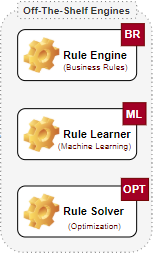
OpenRules Platform includes several engines that can be combined to create a problem-specific Decision Engine:
- Rule Engine – a built-in superfast rule engine for execution of rule-based decision models
- Rule Learner – a machine learning engine for the discovery of business rules from historical data
- Rule Solver – an optimization engine for finding multiple and optimal decisions
A good example of a complete decision model is “Patient Therapy”. This decision model specifies medical guidelines for helping a doctor determine a patient’s therapy after the doctor encounters the patient’s diagnosis.
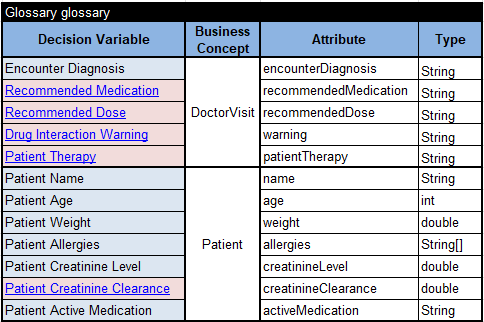
Here is its Business Glossary with two business concepts “Patient” and “DoctorVisit” with various decision variables (input variables are highlighted in blue, and output variables – in pink):
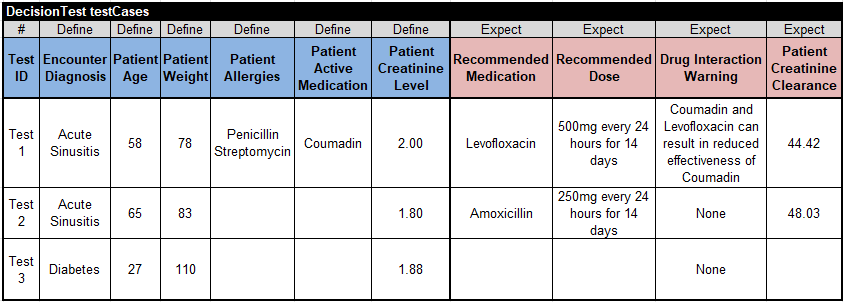
Here are the test cases:
Here are business rules presented in various decision tables:
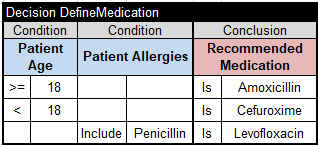
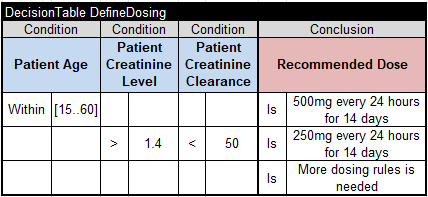
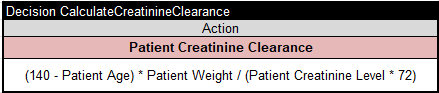
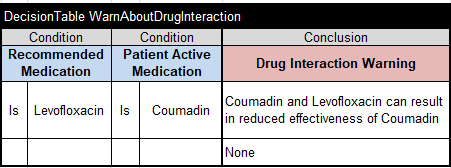
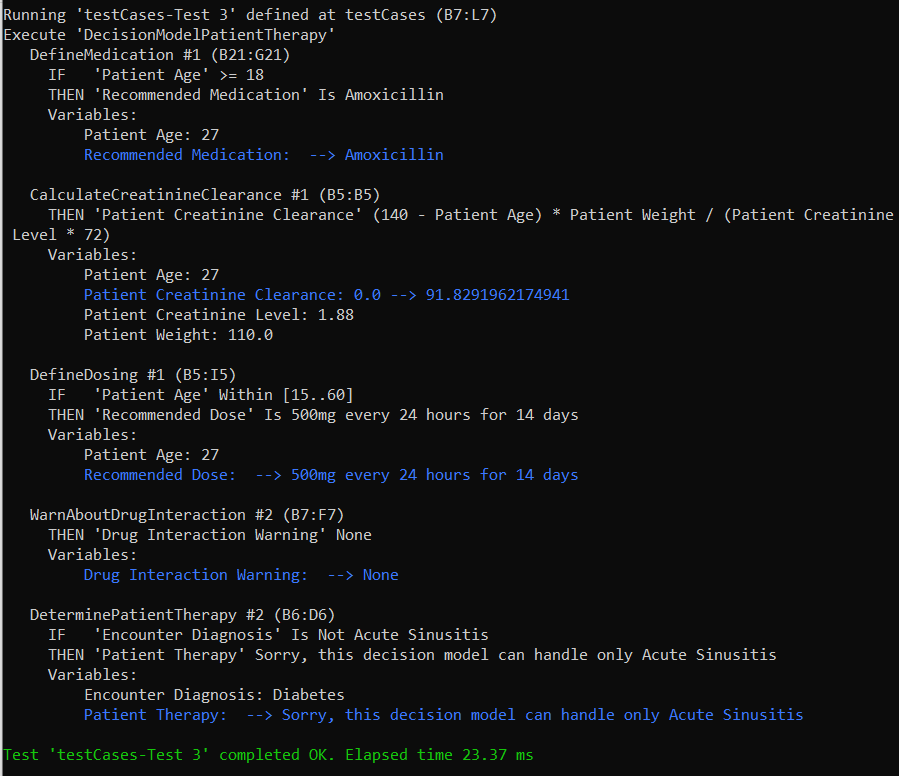
To build and execute this decision model, we may use the built-in rule engine. Just double-click on the standard bat-file test.bat and it will automatically determine all dependencies within the decision model, transforms the model into the executable code, and execute the model against all test-cases. Here are the execution results for the last test-case:
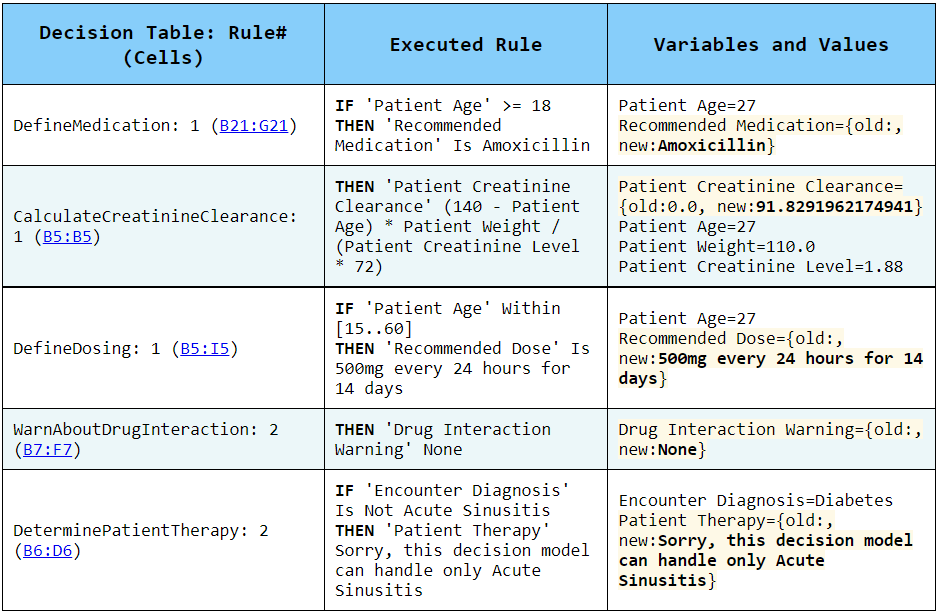
OpenRules automatically generates an HTML report that explains which rules were actually executed and why:
If you run explore.bat it will open graphical OpenRules Explorer with this decision diagram:
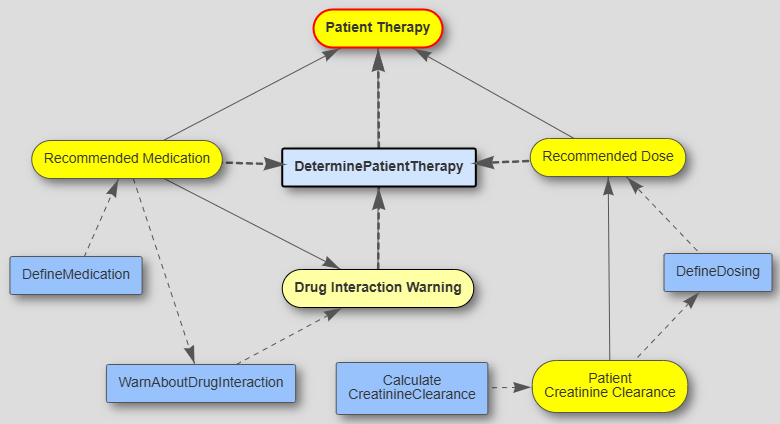
You will be able to debug and analyze the decision model execution in the rule-by-rule mode.
When critical business decisions need to be made, real-time constraints and conditions often differ from what decision models can anticipate. OpenRules Decision Playground addresses this challenge by allowing business specialists to add last-minute constraints and explore multiple decision alternatives at the moment decisions are needed—even when there’s no time or expertise available to update the decision model itself.
In real-world decision-making systems, you usually build not one but multiple decision models and deploy them as well-orchestrated decision services that become teammates of your business and development teams:

 Decision Intelligence Platform