


This AI agent is designed to help calculate the number of eligible vacation days for any employee within a company. We will begin by creating a rule-based decision model and deploying it as an AWS Lambda function, though MS Azure or other deployment options could equally be used. Since OpenRules automatically makes decision services AI-friendly, we will then test this service through a plain English dialogue with ChatGPT.
Business Logic
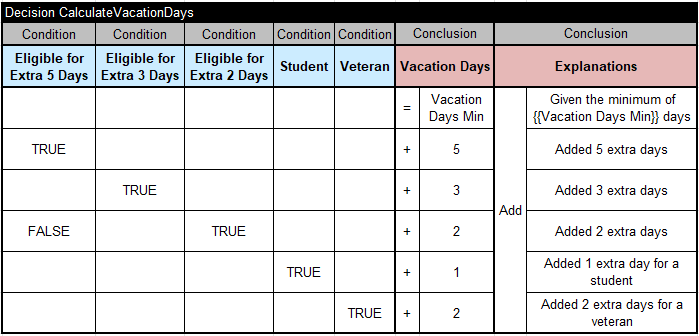
Every employee receives vacation days according to the following rules:
1) Every employee receives at least 22 vacation days.
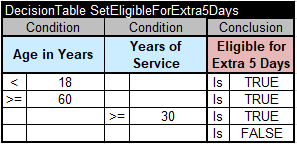
2) Employees younger than 18 or at least 60 years, or employees with at least 30 years of service, can receive an extra 5 days.
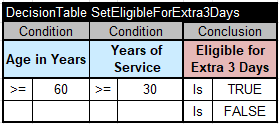
3) Employees with at least 30 years of service and also employees of age 60 or more, can receive an extra 3 days, on top of possible additional days already given
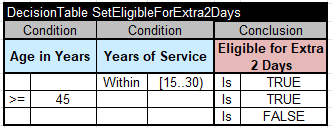
4) If an employee has at least 15 but less than 30 years of service, an extra 2 days can be given.
5) A college student is eligible for 1 extra vacation day.
6) If an employee is a veteran, 2 extra days can be given.
7) The total number of vacation days cannot exceed 31.
Decision Model Implementation
This decision model is available in openrules.samples/AI/VacationDaysAI.
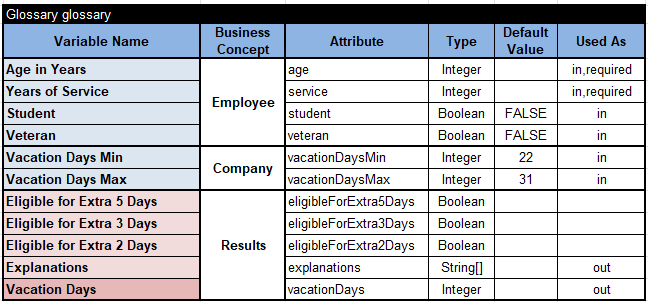
Here is the Glossary:
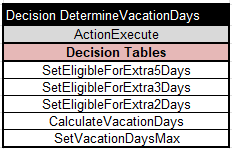
The main goal “DetermineVacationDays” will execute the following 5 sub-goals (decision tables):
Here are the proper decision tables:

Testing and Deploying Decision Services
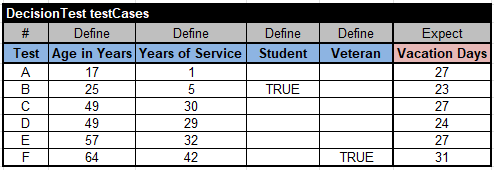
We successfully tested this decision model using this table of the type “DecisionTest”:
Then we deployed it as an AWS Lambda function with the following endpoint:

OpenRules used the above Glossary to automatically generate the files “description.md” and “schema.json”. So, the deployed decision service is already AI-friendly.
Human-LLM Dialogue
We use the ChatGPT desktop app, which provides a simple graphical interface for managing AI agents. It can be accessed via chatgpt.com by selecting “…More + Codex.” Similar desktop applications are also available from Claude and Gemini.
The initial interface appears as shown below, allowing us to enter commands or questions and view the LLM’s responses.

First, we typed:

LLM responded:


We asked:

LLM responded:

Then we typed:

LLM responded:

Note that we ran this dialogue on April 9, 2026.
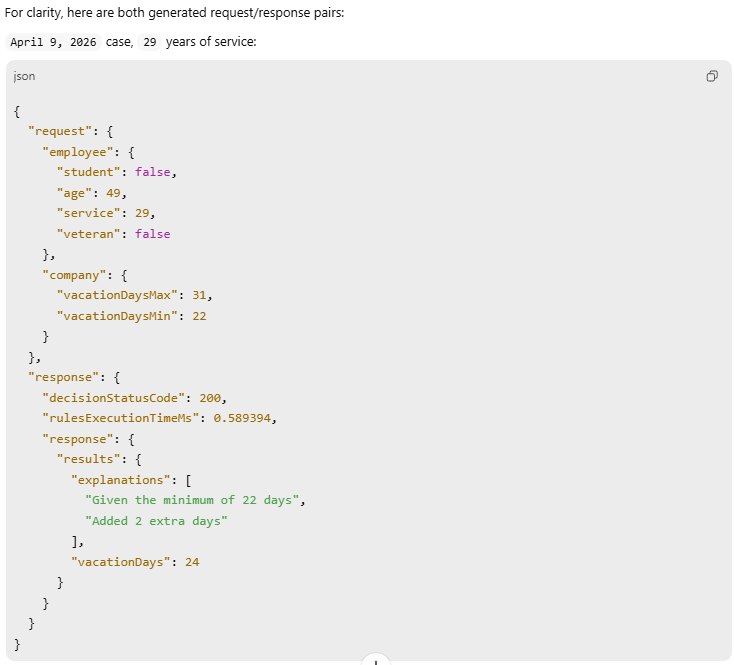
While the results looked good, we asked:

LLM:
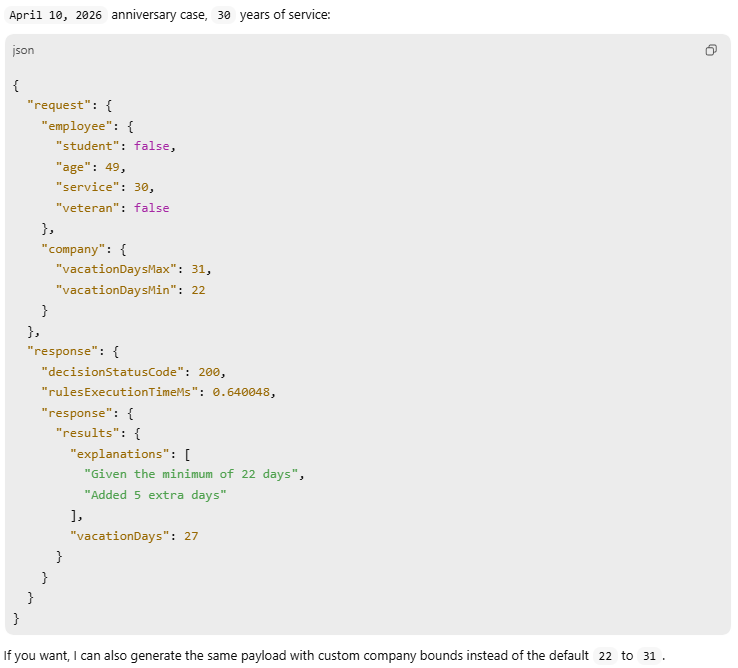
Then we decided to try a different employee:

LLM answered:

We:

LLM:
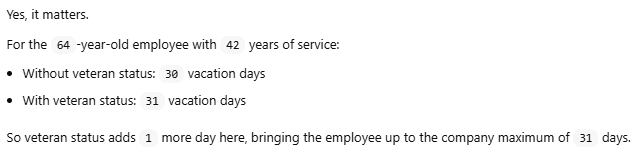
We continued:

LLM responded:
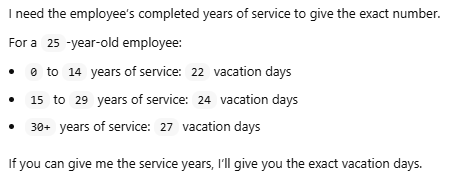
Then we typed:

Here is the LLM’s response:

We:

LLM:
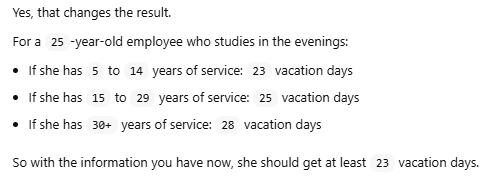
We:

LLM:

Conclusion
Given that the LLM had no knowledge of the underlying service logic — only the required inputs and outputs — its performance was nothing short of remarkable.
 Decision Intelligence Platform